
Android
Bill Reminder
Bill Reminder helps you track upcoming, overdue, paid, and unpaid bills in one clear Android app so you can stay organized and pay on time.
Finance Android
Finance
Bill Reminder, Payment Reminder, Bill Tracker, Due Date Reminder, Personal Finance, Expense Organizer, Payment History, Budget Planning
Preview the experience
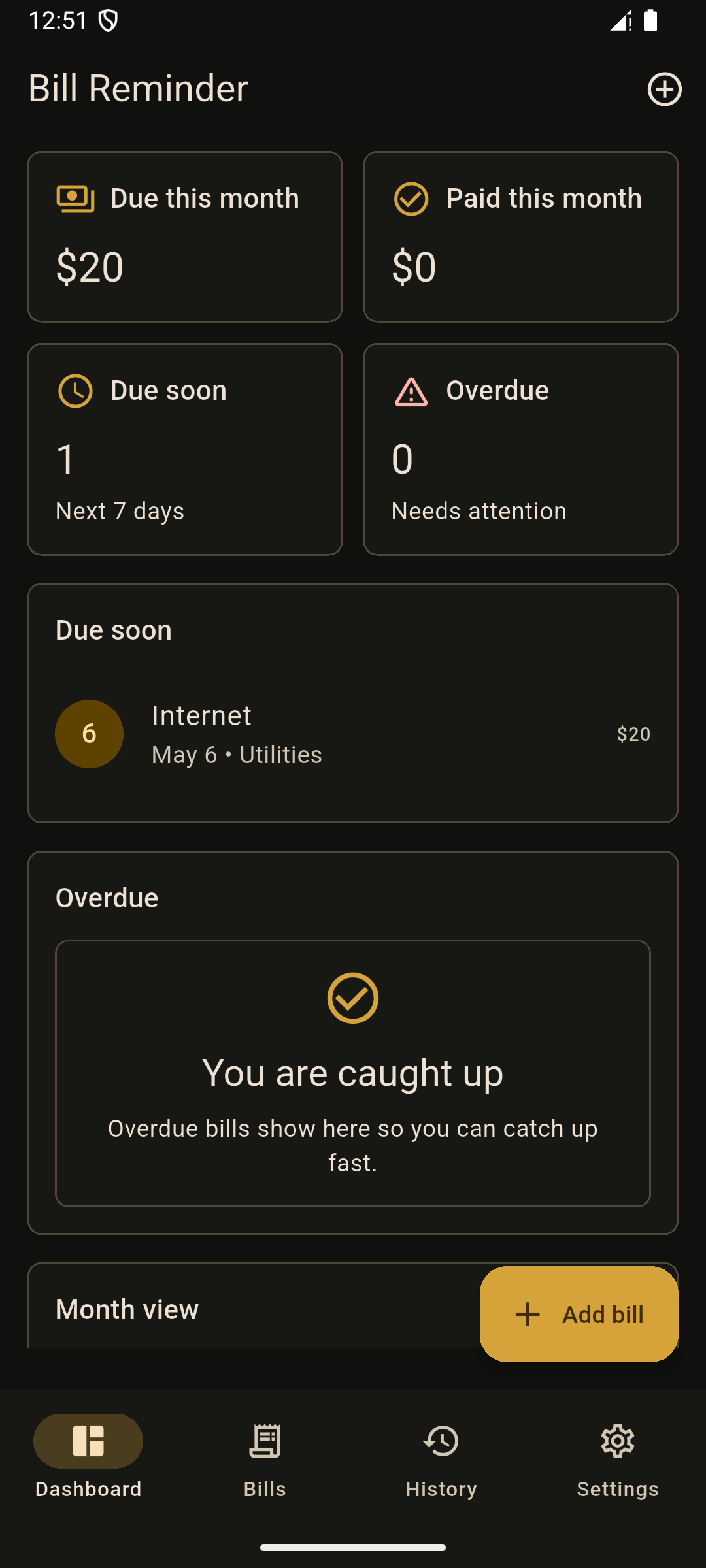
Show the dashboard with due this month, paid this month, due soon, overdue bills, and a visible Add bill button.
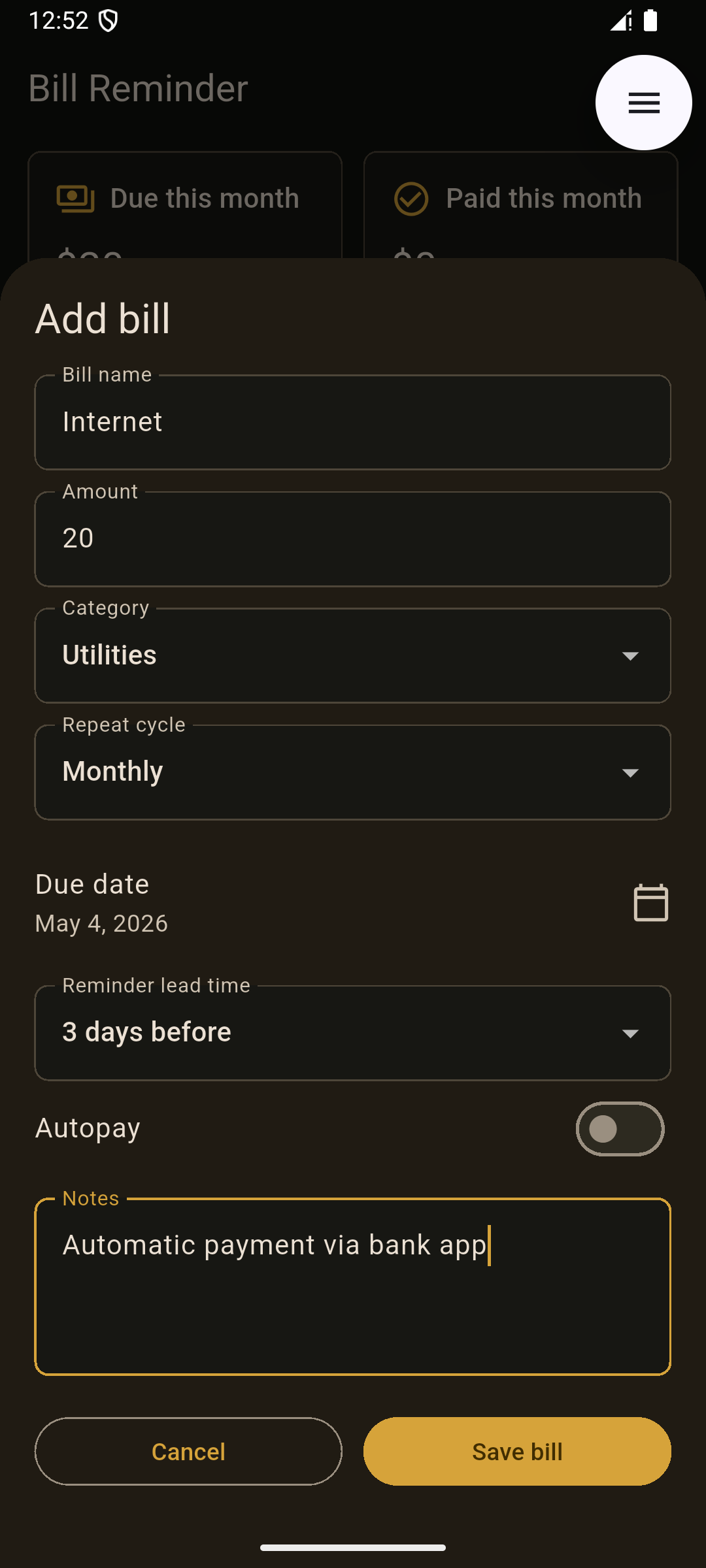
Show the add bill form with bill name, amount, category, repeat cycle, due date, reminder lead time, autopay, notes, and Save bill button.
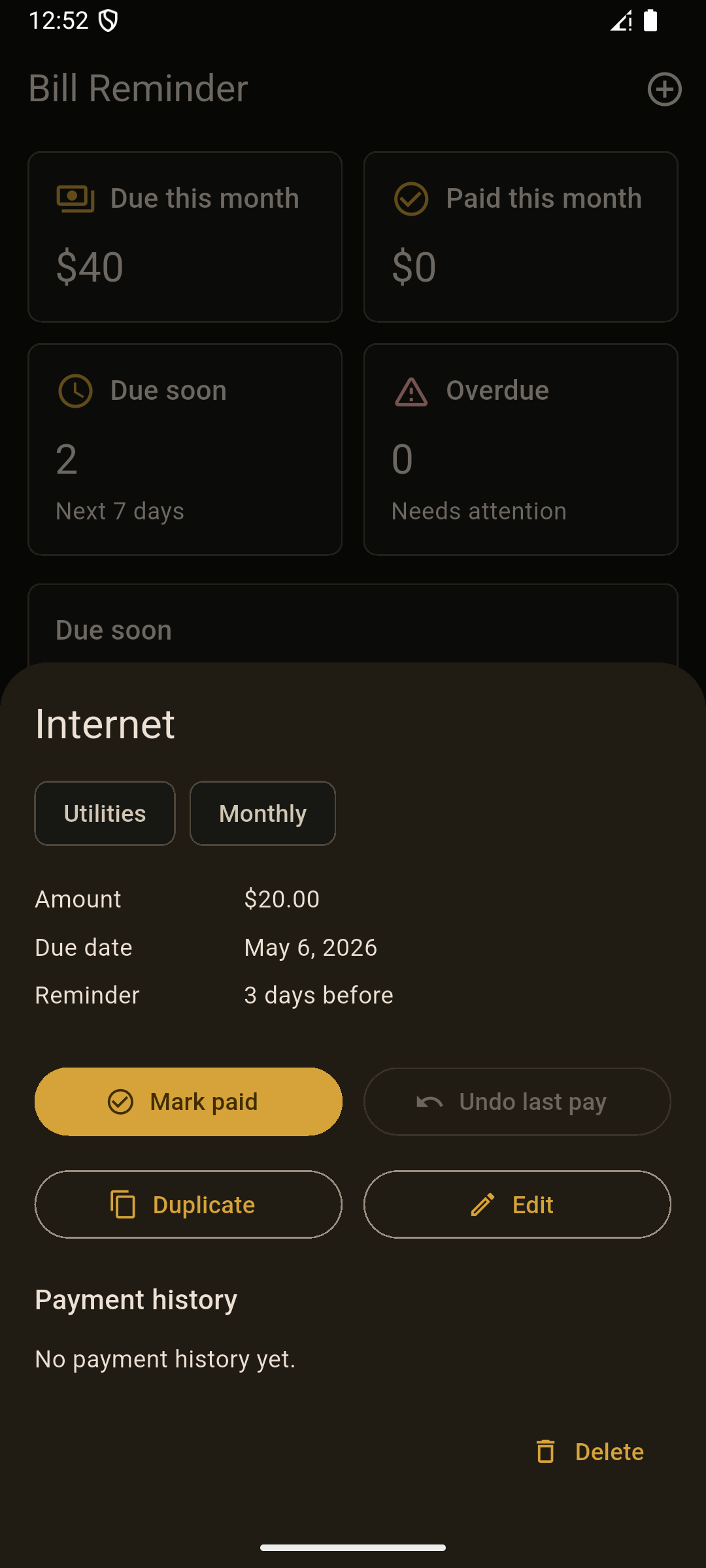
Show a bill details bottom sheet with amount, due date, reminder, Mark paid, Duplicate, Edit, Delete, and payment history options.
Overview
Bill Reminder is a practical Android app for anyone who wants a clearer way to manage bills and avoid missed payments. Keep your upcoming, overdue, paid, and unpaid bills organized in one focused place.
Add bills with the details that matter: name, amount, category, repeat cycle, due date, reminder lead time, autopay status, and notes. Whether you are tracking internet, utilities, subscriptions, or monthly expenses, the app keeps each payment easy to find.
The dashboard gives you a quick overview of what is due this month, what has already been paid, what is due soon, and what needs attention. Search, filters, due-date sorting, and category views help you stay prepared as your list grows.
When a bill is handled, mark it paid and keep a clean payment history. You can also edit, duplicate, delete, or undo the last payment from the bill details screen.
With customizable reminders, currency symbol settings, language options, and a dark theme, Bill Reminder is designed to make payment organization simple, calm, and reliable.
Main feature
- Bill Due Date Tracking
- Custom Payment Reminders
- Search And Filters
- Payment History
- Recurring Bill Setup
- Paid And Overdue Status
Frequently asked questions
Here are answers to some of the questions people ask most often about this app.
What can I track with Bill Reminder?
You can track bill names, amounts, categories, due dates, repeat cycles, reminder timing, autopay status, notes, and payment history.
Can Bill Reminder help me avoid overdue bills?
Yes. The app highlights due soon and overdue bills, and you can enable reminders before due dates.
Can I mark bills as paid?
Yes. You can mark a bill as paid, view payment history, and undo the last payment when needed.
Does the app support recurring bills?
Yes. When adding a bill, you can choose a repeat cycle such as monthly to manage recurring payments.
Can I organize bills by category?
Yes. Bills can be assigned to categories and filtered so you can find the right payment quickly.
Our work
Related apps
Keep exploring similar products from the same portfolio to increase session depth and discovery.

App
Subscription Tracker
Subscription Tracker helps you monitor recurring services, renewal dates, trial deadlines, monthly costs, yearly estimates, and cancelled plans in one simple Android app.
Finance Subscription TrackerSubscription ManagerRenewal ReminderRecurring PaymentsTrial ReminderMonthly SpendingPersonal FinanceBudget Tracker
App
Chore Tracker
Chore Tracker helps you organize household tasks, assign chores, set repeat schedules, complete tasks with one tap, and review completion history.
Productivity Chore TrackerHousehold TasksCleaning ScheduleFamily OrganizerTask ReminderRecurring ChoresCompletion HistoryHome Productivity

App
Habit Tracker
Build better routines with Habit Tracker, a flexible habit tracker with reminders, streaks, daily check-ins, and clear progress statistics.
Productivity Habit TrackerRoutinesStreaksRemindersProductivity
Turn interest into action?
Take control of your monthly payments with a simple bill tracker built for everyday use. Add bills, set due dates, customize reminders, and keep your payment history easy to review.